Arkuda Digital Media Apps: Plan a Home-Network Streaming Setup
Arkuda Digital describes apps for finding, playing and sharing personal media across compatible home-network devices. Compare the devices and files you already own before considering ArkMC or MyAudioStream, and verify current app-store availability and operating-system support.
The creator may earn a commission if you buy through these links. Learn more.
Go for SubscriptionCheckout takes place on the seller’s website. This link may be an affiliate link.
A CLOSER LOOK
Arkuda Digital Media Apps: Plan a Home-Network Streaming Setup
Creator-edited product details · 11/22/2026
01 / PRODUCT DETAILS
Map the source, destination and network
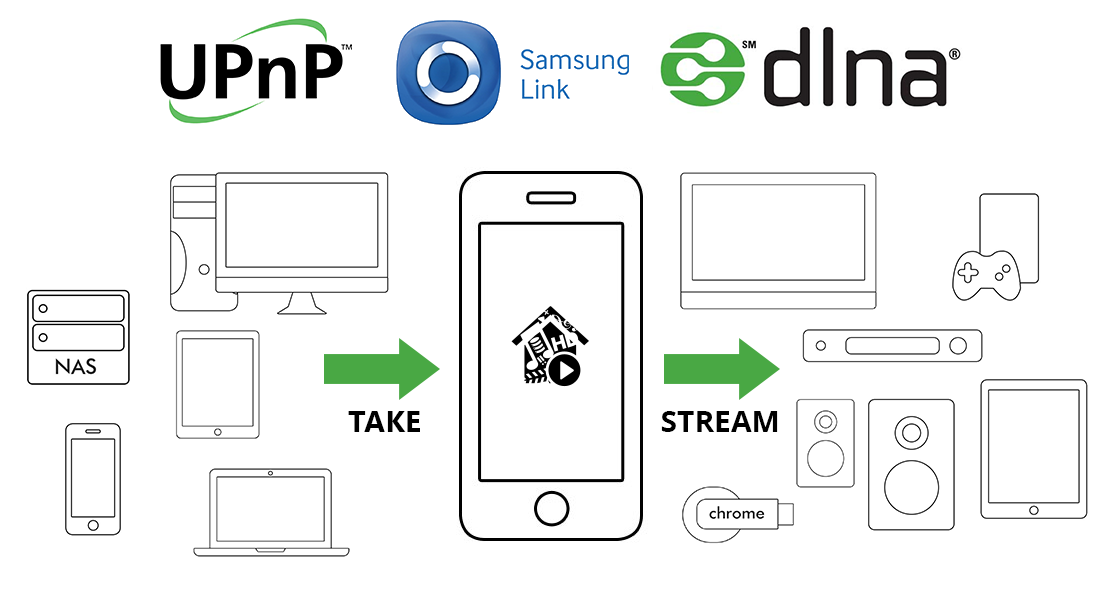
Before choosing ArkMC, verify how the file source is exposed on your network and which functions the receiving device supports. Check the current app listing, supported operating system and file formats for the version you intend to use. Keep ordinary home-network security in place; do not make a media service publicly accessible simply to solve a local connection problem. Use the developer’s instructions for setup.
Official Arkuda ArkMC illustration; verify current app availability and device compatibility.
02 / PRODUCT DETAILS
Choose the audio workflow separately
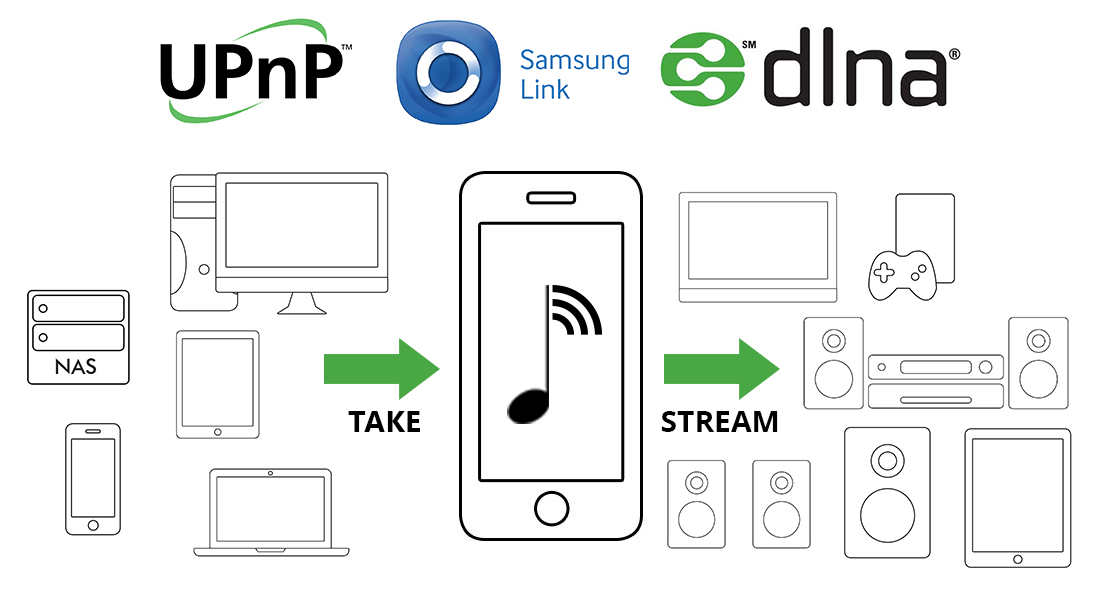
For a music-focused setup, compare MyAudioStream’s documented workflow with the devices you own. Decide whether playback should be controlled from a phone, the receiving device or both. Check playlists, file locations and the ability to operate the setup as you expect. Keep your original media backed up and retain a short record of the working configuration. Features and current availability should be confirmed with the developer.
Official Arkuda MyAudioStream illustration; this is manufacturer imagery, not our own test setup.
Product story
Arkuda Digital describes apps for finding, playing and sharing personal media across compatible home-network devices. Compare the devices and files you already own before considering ArkMC or MyAudioStream, and verify current app-store availability and operating-system support.
Features & benefits
Personal-media discovery and playback
ArkMC media-server and controller functions
MyAudioStream music-focused workflow
UPnP/DLNA-compatible device considerations
Product-specific network and file-format requirements
About this product
A home media project works best when its requirements are written down first. List the device holding your files, the screen or speaker you want to use and the network connecting them. Distinguish files you own and are entitled to share from content inside a separate streaming subscription. A general media-sharing app should not be assumed to unlock another service’s protected catalogue.
Arkuda’s official pages describe ArkMC as a media player, server and controller using UPnP/DLNA-related workflows. MyAudioStream focuses on music playback and network audio. Some official illustrations and documentation are older, so this overview does not certify compatibility with current phones, televisions or app-store versions. Confirm those details before purchasing. A legacy platform mentioned in a product description is not proof that every present-day device will work.
Try to make the comparison concrete. A household wanting a music library in another room has a different brief from one wanting family videos on a television. Choose a single source and destination for the first compatibility check. Record the exact device models and software versions, then use that information when reading documentation or asking the developer for support.
Product specifications
Research basis
Official product information; not a hands-on test
Before purchasing
Check the exact product, compatibility, availability and current seller terms
Confirm current prices and specifications with the seller before buying.
Official sources
This guide uses official product information and practical buying considerations. It does not claim hands-on testing.
We use necessary storage for sign-in and preferences. Optional analytics measures usage; optional marketing tracking supports affiliate attribution. Privacy Policy
Choose settings
Arkuda Digital Media Apps: Plan a Home-Network Streaming Setup | RevXStar.com
Comments (0)
Loading comments…
Sign in to comment