RevXStar← Explore products
REVXSTAR HELP CENTER

Discover products.
Share what you know.

Your guide to exploring products, publishing affiliate content, and understanding how commissions work.

FOR VIEWERS

Find your next great product

  1. Browse categories or search for a product.
  2. Watch the video and read features, details, and reviews.
  3. Bookmark favorites in your collections.
  4. Follow the seller link to check the offer and purchase.

FOR AFFILIATE CREATORS

Turn knowledge into helpful content

  1. Get your own affiliate link from an approved program.
  2. Open Affiliate Creator and sign in.
  3. Add links, photos, video, and accurate product content.
  4. Publish and share. Check commissions with your affiliate program.
STEP BY STEP

See where to click

Real RevXStar screenshots. Select an image to open the full-size view. Available sign-in methods and product content can vary.
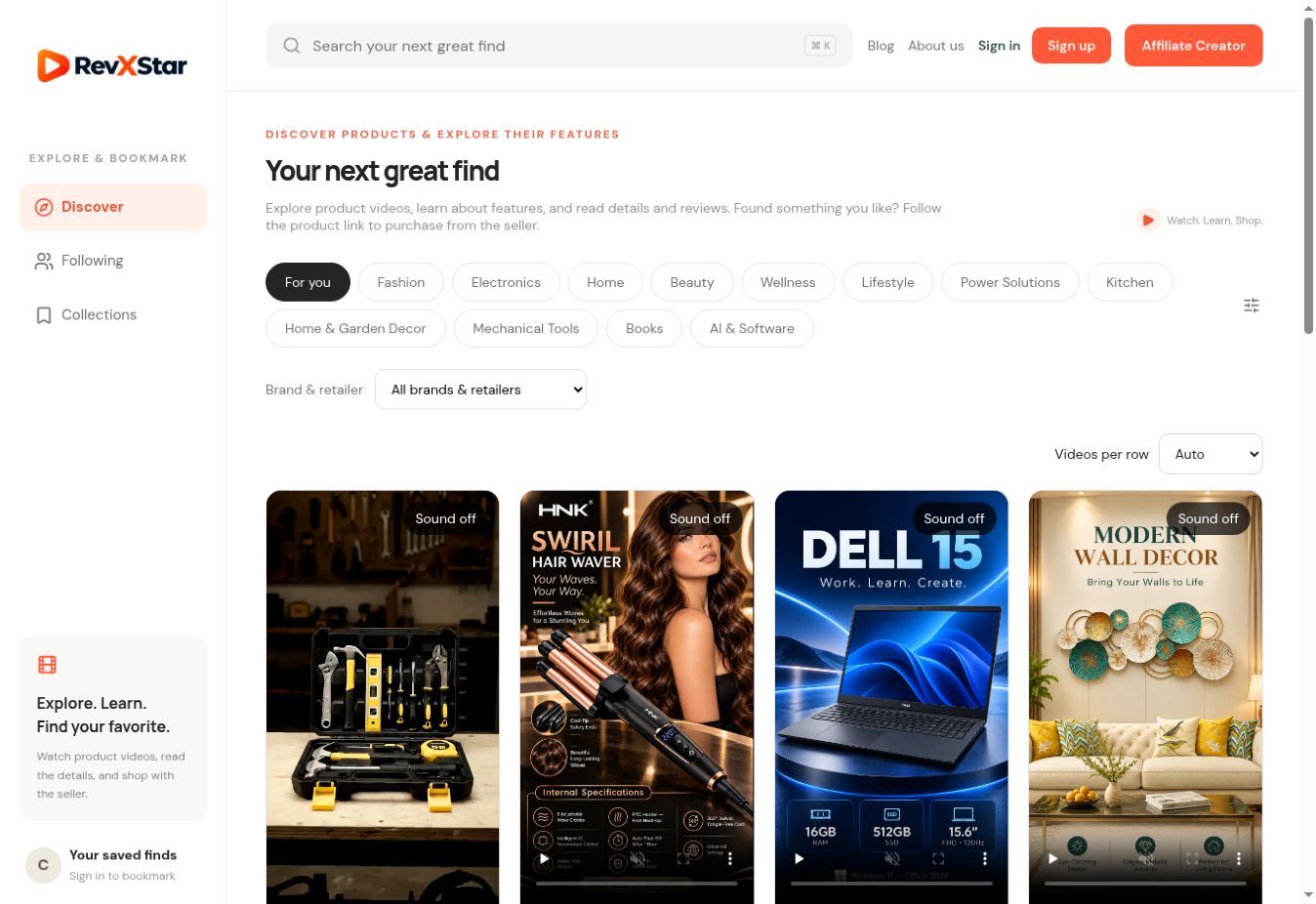
RevXStar homepage with search at the top, category filters, product videos, and Affiliate Creator in the top-right corner
1. Find a productUse the search bar or choose a category. Open a video’s View product button to learn more. Creators start with Affiliate Creator at the top right.
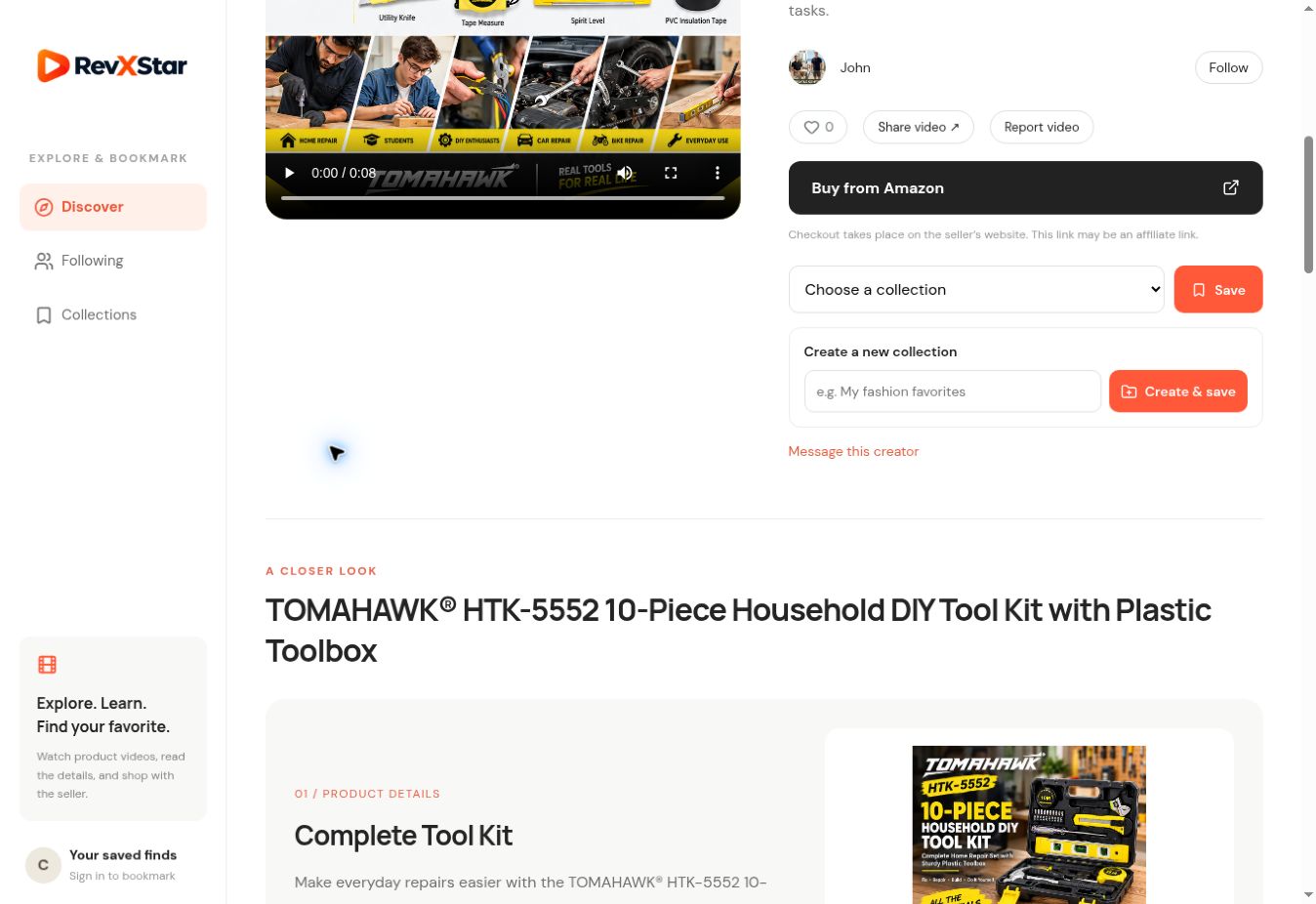
Product page showing Buy from Amazon, Choose a collection, Save, and Create and save controls
2. Read, save, or shopRead the product information. Sign in to select a collection and Save, or enter a new name and select Create & save. The Buy from seller button opens the seller’s website.
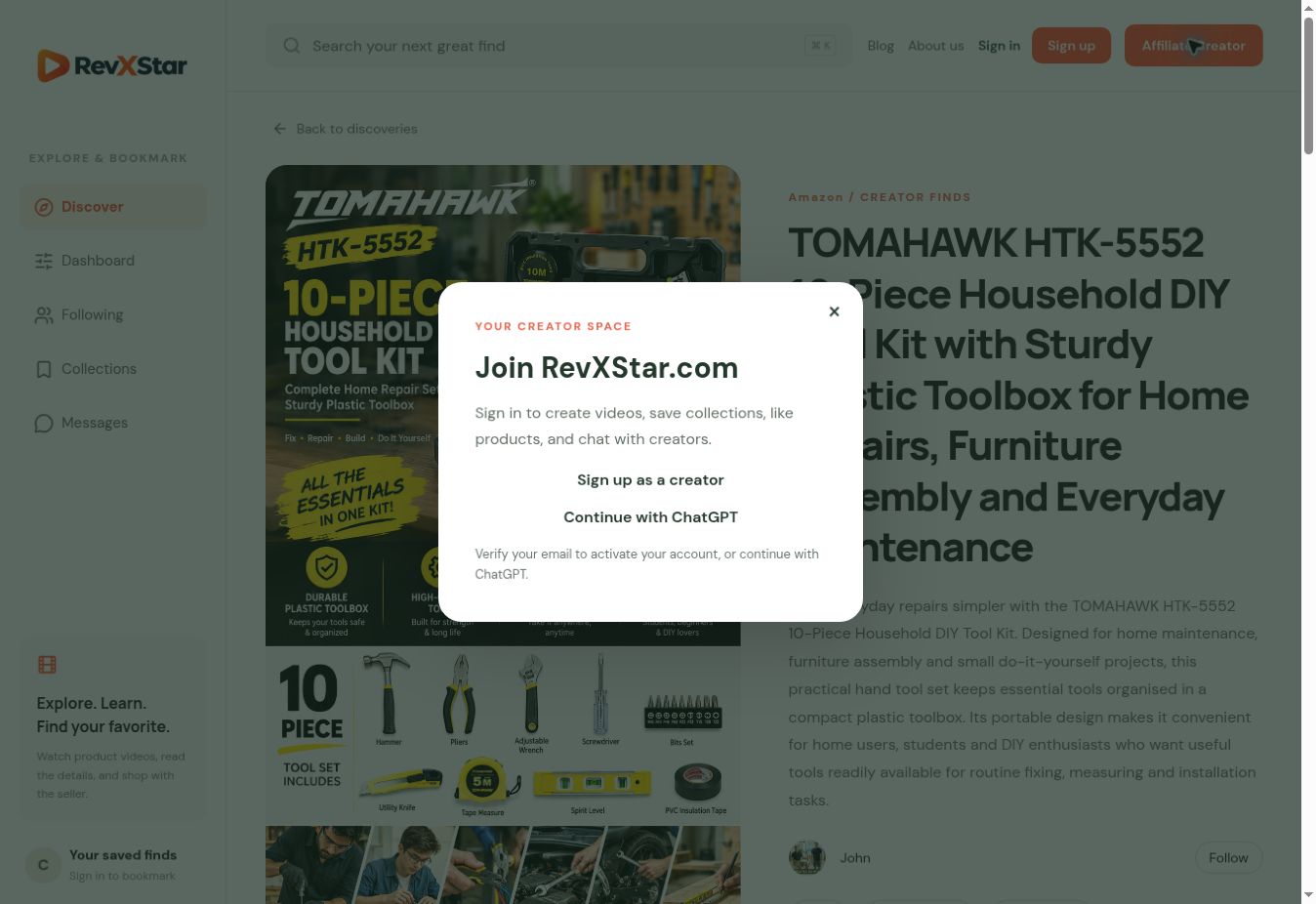
Join RevXStar dialog opened from Affiliate Creator with signup and Continue with ChatGPT options
3. Enter the creator sectionSelect Affiliate Creator, then sign in using an available method. After sign-in, return to the product submission form.

Next: publish your first affiliate product

  1. Add photos: choose 1–7 JPG, PNG, or WebP photos, each up to 10 MB. Write helpful captions.
  2. Add your links: select a retailer and paste your own affiliate product URL. Use Fetch details if you want to try importing seller information.
  3. Describe the product: review the title, description, category, and product facts. Make the affiliate relationship clear.
  4. Add a video: generate a slideshow or upload an MP4/WebM up to 35 MB. Check the preview and any warnings.
  5. Publish and share: select Publish video & product page. Share the product page and monitor approved commissions in your affiliate program.
GET YOUR FIRST AFFILIATE LINK

10 affiliate programs to explore

Start with a program that fits your audience. Apply on its official website, gain access, generate your own tracked link, then add it to RevXStar. These are examples, not a ranking or a guarantee of acceptance.

Before you apply

  • Prepare your public creator profile, website or social channel URL and a clear description of your content.
  • Check the program’s supported countries, markets, permitted channels, and current terms. Ask whether your RevXStar profile or product pages can be approved for promotion.
  • Enter private payment, identity, or tax details only in the official program’s secure account setup. RevXStar does not enroll you or generate your affiliate tracking ID.
01

Amazon Associates

Everyday products, books, home & electronics
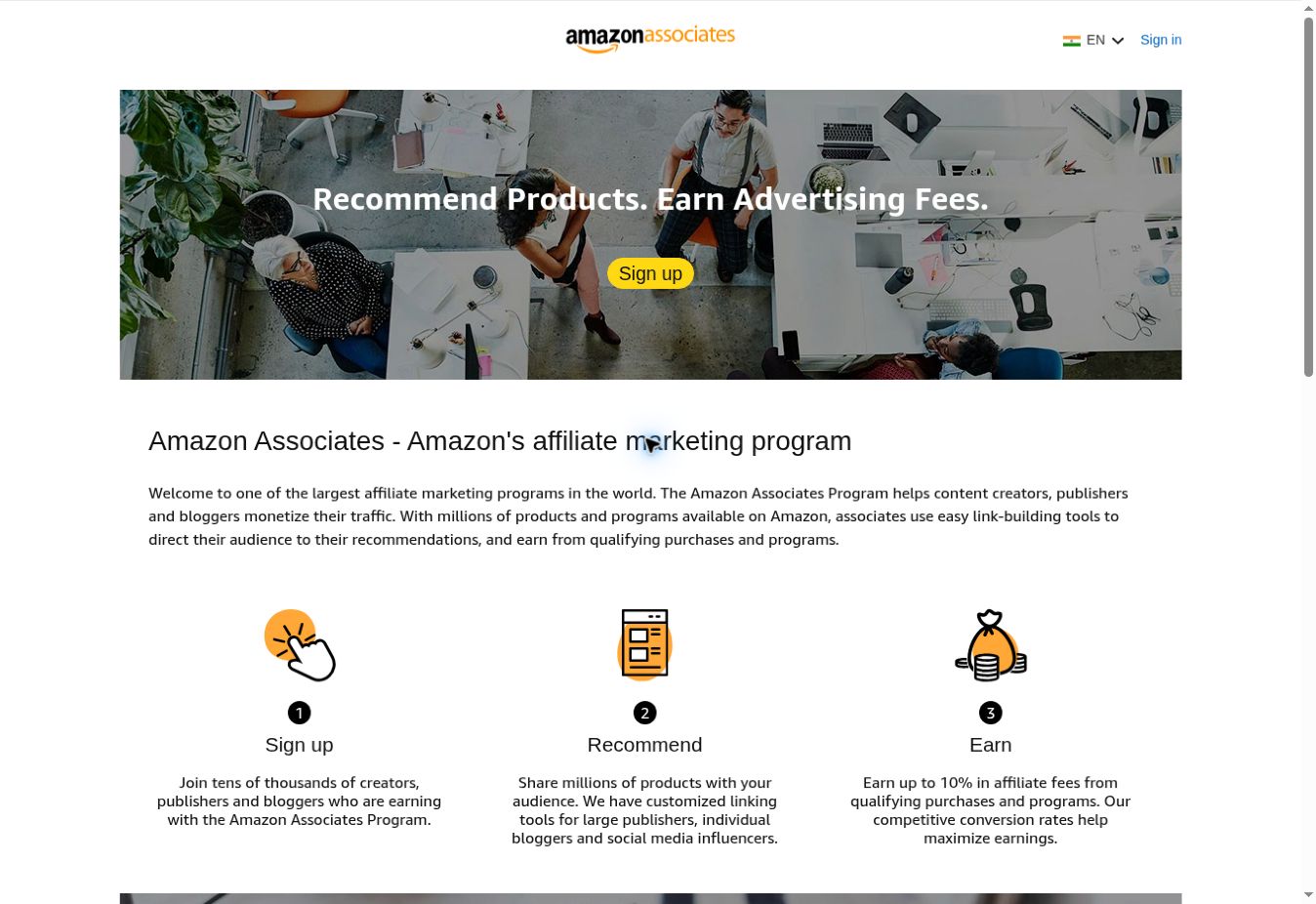
Amazon Associates official public program page, showing where to start
Official public page screenshot · select to enlarge · captured October 16, 2026

The screenshot shows Amazon India. Choose the Associates program for the Amazon marketplace your audience uses.

Join and generate your link

  1. Open Amazon Associates and select Sign up. Complete your account, channel, and payment details as requested.
  2. List the websites or channels where you will place affiliate links and follow the program’s application requirements.
  3. Sign in to the Amazon shopping account connected to Associates. Open a product page and use SiteStripe → Get Link / Text. Select your tracking ID if prompted.
  4. Copy the generated tracked text link, keeping its tracking information intact. Add it to your RevXStar product and include Amazon’s required disclosure.
02

eBay Partner Network

Electronics, collectibles, fashion & tools
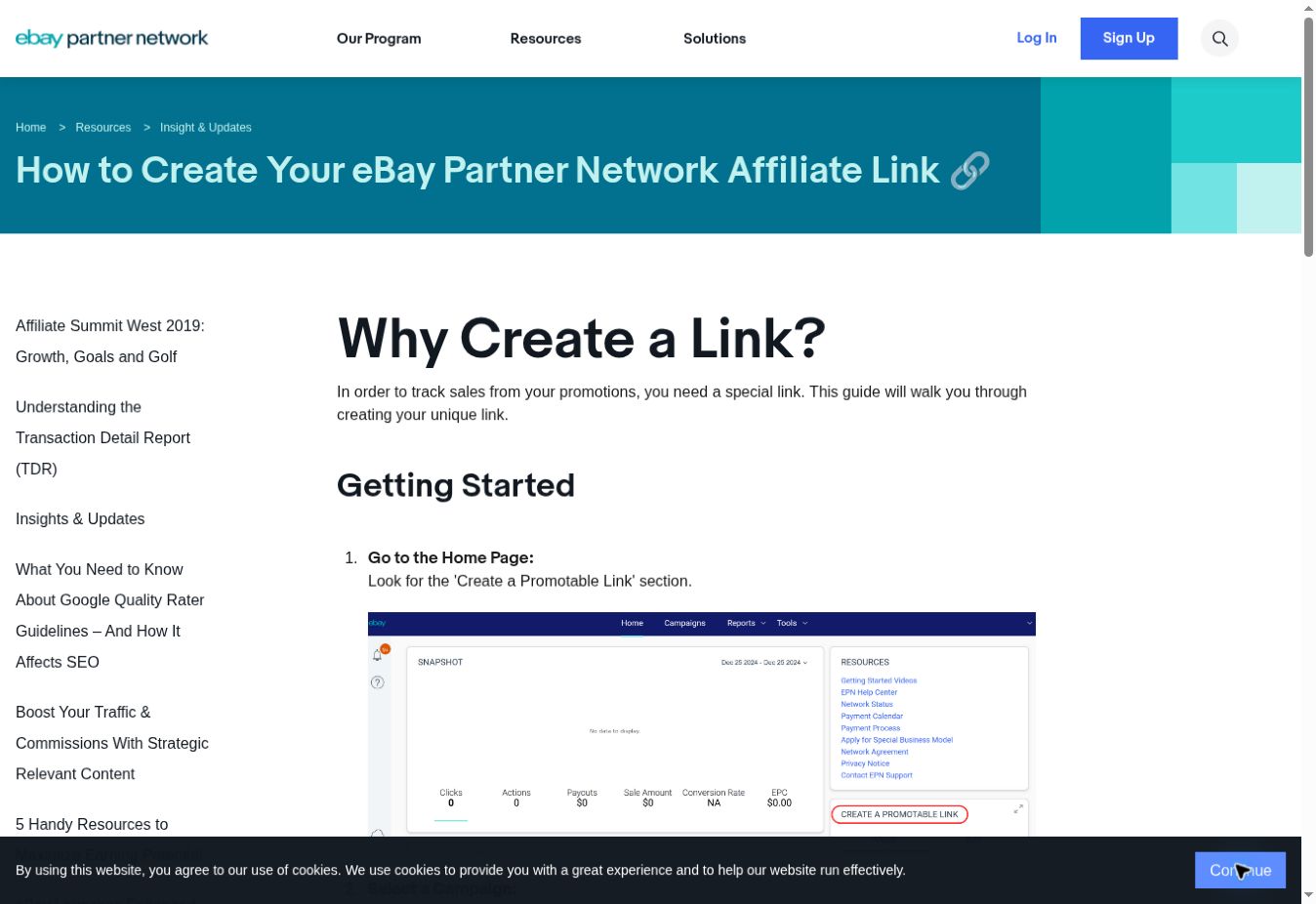
eBay Partner Network official public program page, showing where to start
Official public page screenshot · select to enlarge · captured October 16, 2026

The screenshot is eBay’s official public link-generation tutorial, including an example of its dashboard.

Join and generate your link

  1. Open eBay Partner Network and select Sign Up. Submit your application and channel information.
  2. After gaining program access, sign in to the partner portal and locate Create a Promotable Link or Link Generator.
  3. Choose a campaign, paste the eBay product page URL, and add an optional Custom ID if you need it.
  4. Select Generate Link. Copy the affiliate URL into RevXStar and check that the promoted listing is still available.
03

Walmart Affiliate Program

Home, everyday essentials & electronics
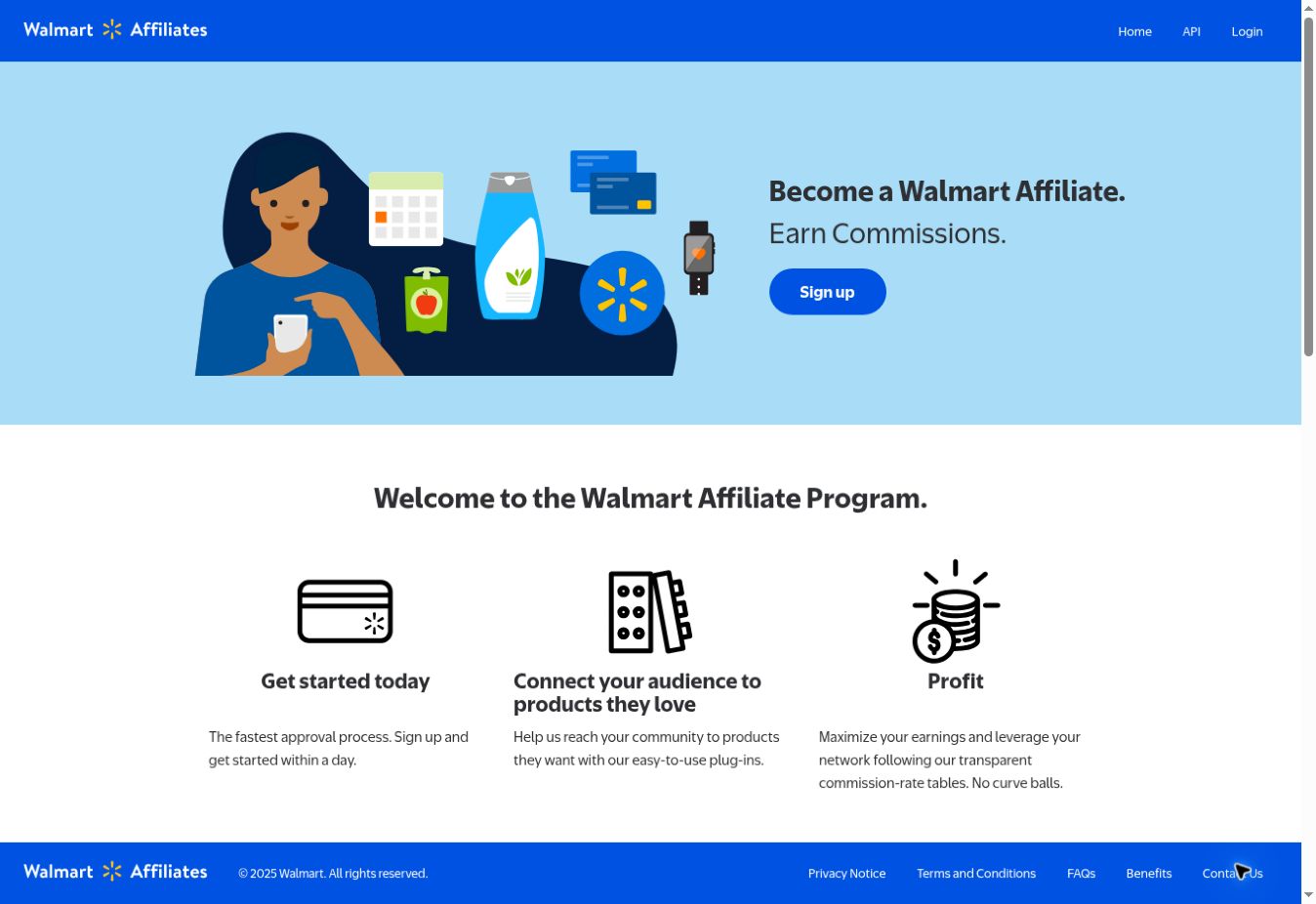
Walmart Affiliate Program official public program page, showing where to start
Official public page screenshot · select to enlarge · captured October 16, 2026

Designed around Walmart.com shopping. Check publisher eligibility, permitted markets, and approved channels before applying.

Join and generate your link

  1. Open the official Walmart Affiliates page and select Sign up. Follow the application route shown there.
  2. Provide your publishing channels and requested account details, and wait for program approval.
  3. Open the approved affiliate tools or Affiliate Member Center. Find the link-generation tool and choose the Walmart product or destination you want to promote.
  4. Generate and copy your tracked link. Paste it into RevXStar, add helpful product content, and review performance in your affiliate account.
04

Target Partners

Home, style, beauty & lifestyle

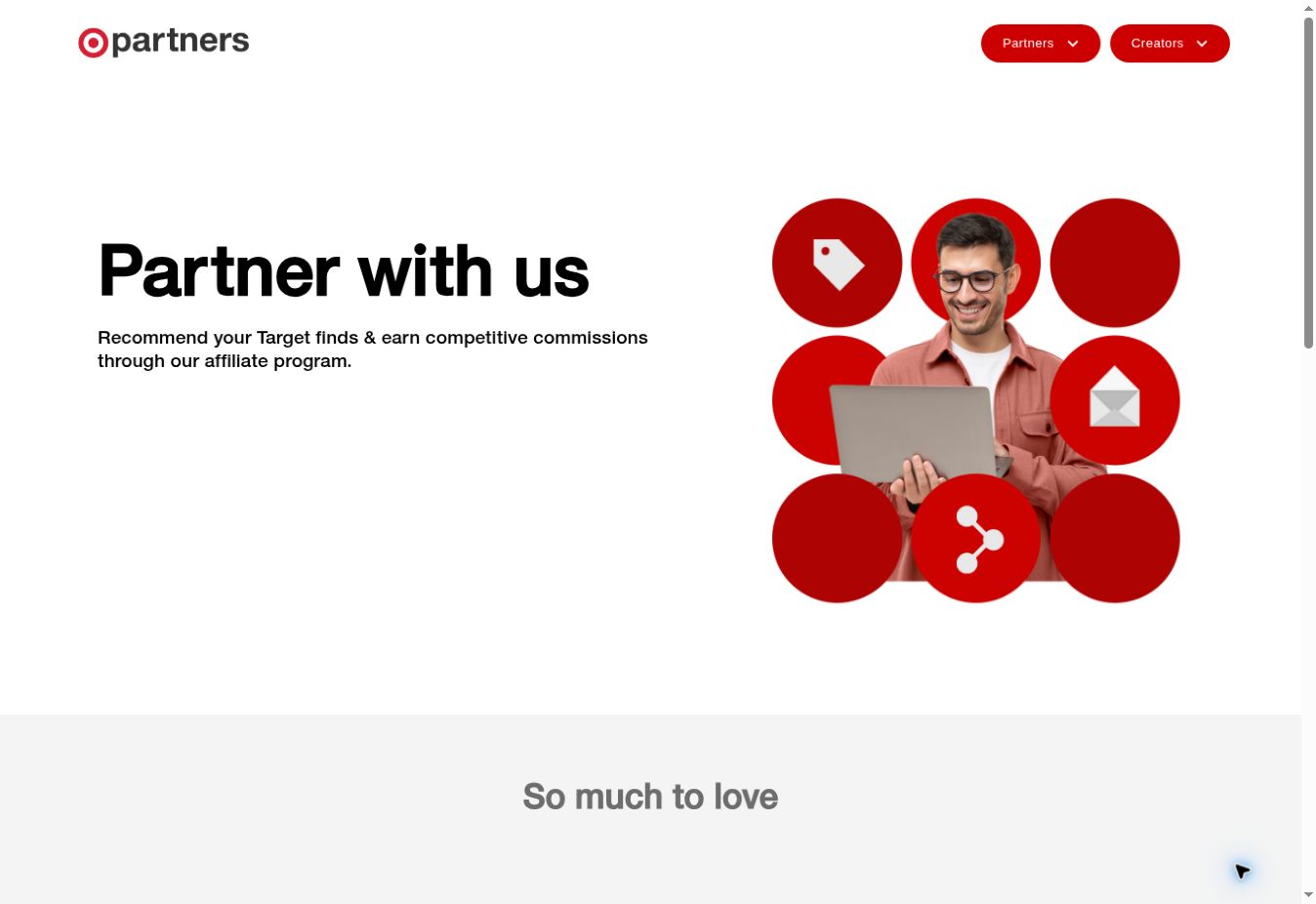
Target Partners official public program page, showing where to start
Official public page screenshot · select to enlarge · captured October 16, 2026

Target.com focuses on the US market. Check current country and audience requirements; approval is not automatic.

Join and generate your link

  1. Open Target Partners, find Apply Now, and follow the affiliate application to the program’s partner platform.
  2. Describe your audience and the channels you plan to use. Complete the requested profile and wait for acceptance.
  3. After approval, open Target’s tools in Impact. Use an available tracking-link or deep-link tool to select the permitted Target product or destination.
  4. Copy the tracked URL into RevXStar. Use the program dashboard to review attributed activity and approved commissions.
05

Etsy Affiliates & Creator Collective

Handmade finds, gifts, decor & vintage
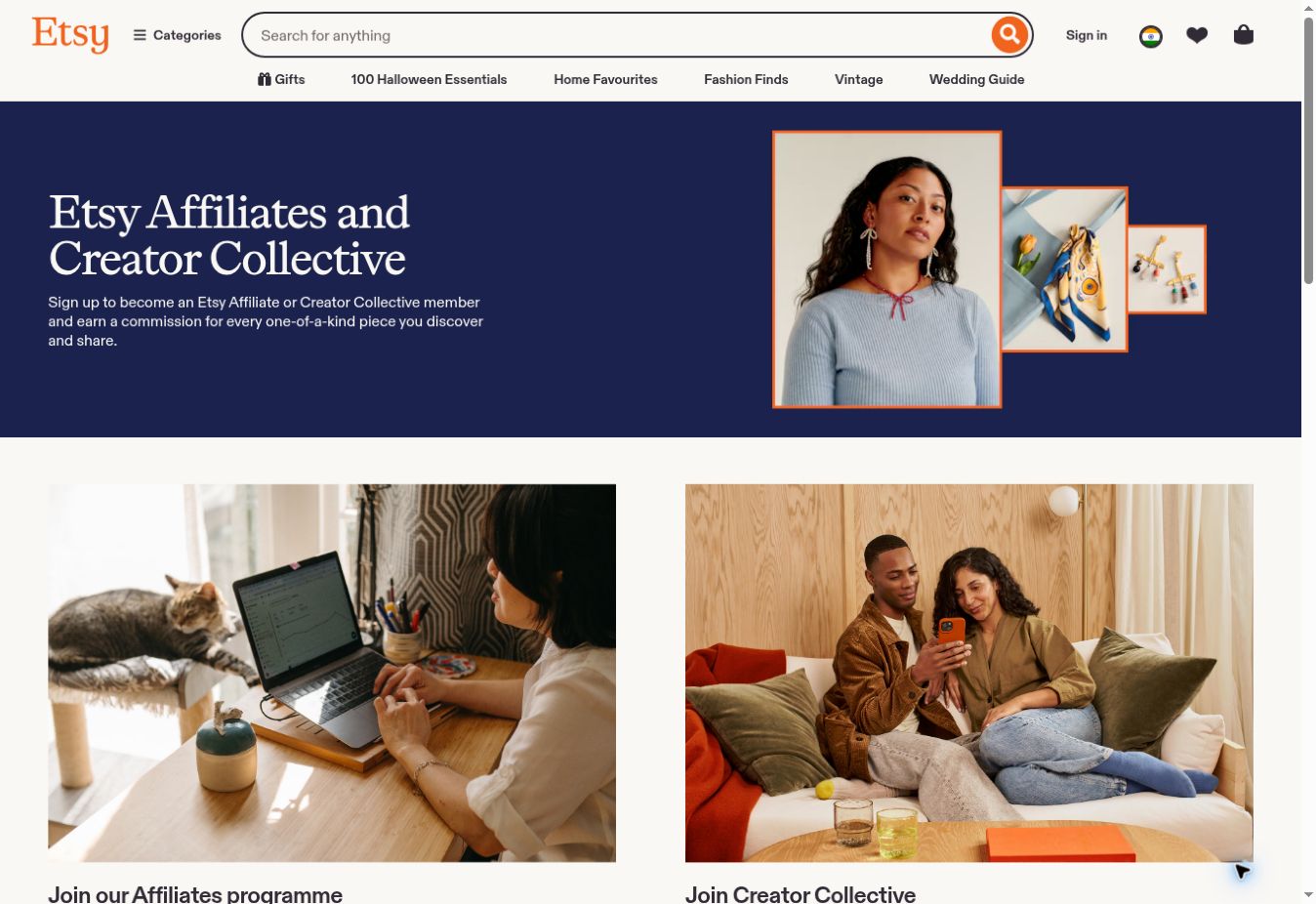
Etsy Affiliates & Creator Collective official public program page, showing where to start
Official public page screenshot · select to enlarge · captured October 16, 2026

Etsy offers separate application routes for website publishers and social creators. Use the route that matches your primary channel.

Join and generate your link

  1. Open the official Etsy page. Choose Affiliates for website or editorial content, or Creator Collective for social content.
  2. Select Apply here for the appropriate route and submit your channel details for review.
  3. Once accepted, open the linking tools in the platform Etsy assigns to your account. Select an eligible listing and create a tracked link.
  4. Copy the generated link into RevXStar only where your approved channel permissions allow. Use the program’s own reports for earnings.
06

Shopify Affiliate Program

Software, ecommerce & business education
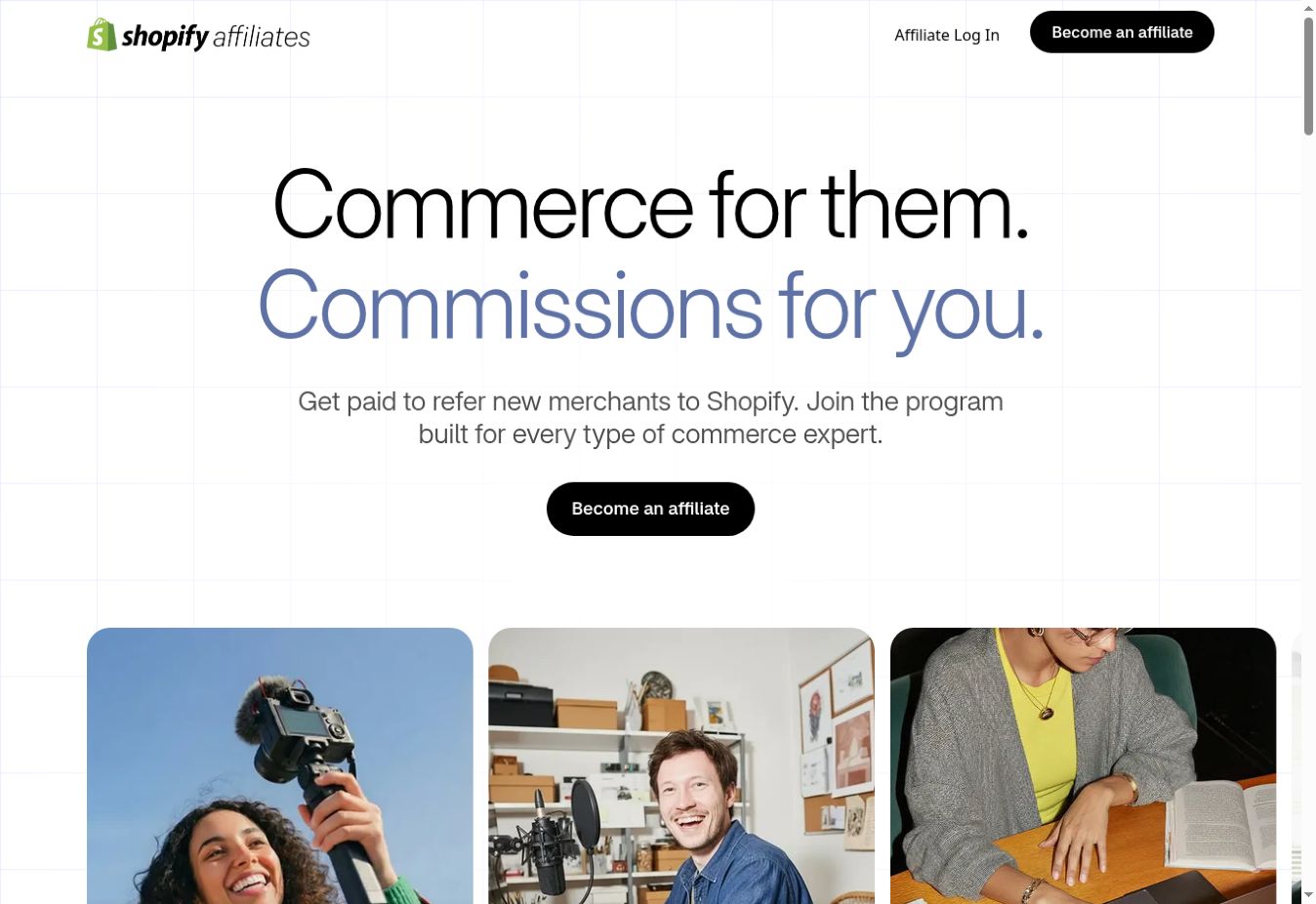
Shopify Affiliate Program official public program page, showing where to start
Official public page screenshot · select to enlarge · captured October 16, 2026

This program refers new merchants to Shopify. It is different from promoting individual products sold by independent Shopify stores.

Join and generate your link

  1. Open Shopify Affiliates and select Become an affiliate. Follow the application to Impact.
  2. Provide your audience, website or content channels, and relevant experience. Shopify reviews applications against its requirements.
  3. After acceptance, sign in to Impact and create your Shopify referral link using the program’s available link tools.
  4. Use that tracked link in relevant RevXStar software or business content. Earnings depend on qualified merchant referrals under the current program terms.
07

Semrush Affiliate Program

SEO, marketing & software tools

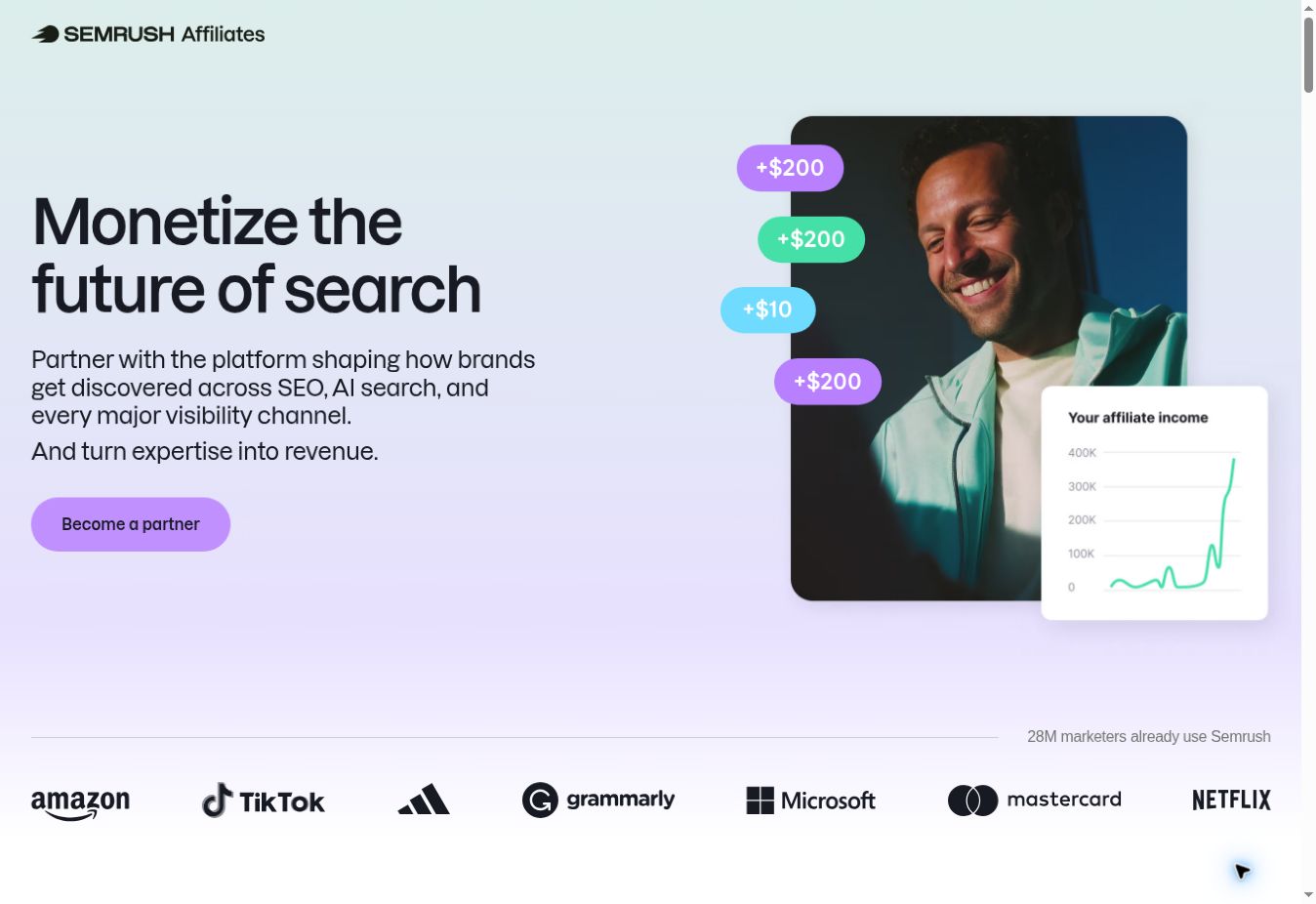
Semrush Affiliate Program official public program page, showing where to start
Official public page screenshot · select to enlarge · captured October 16, 2026

Useful for software and marketing content. The official program uses Impact; check its audience and content requirements.

Join and generate your link

  1. Open the Semrush affiliate page and select Become a partner or Apply now. Complete the application through Impact.
  2. Provide your active website or content channel and relevant audience details. Wait for the program’s decision.
  3. After acceptance, sign in to Impact. In Content → Assets, find the referral URLs and approved creative assets supplied by Semrush.
  4. Copy the provided tracking link exactly, including its parameters. Paste it into relevant RevXStar content and monitor results in Impact.
08

Adobe Affiliate Program

Creative software, AI tools, design & documents
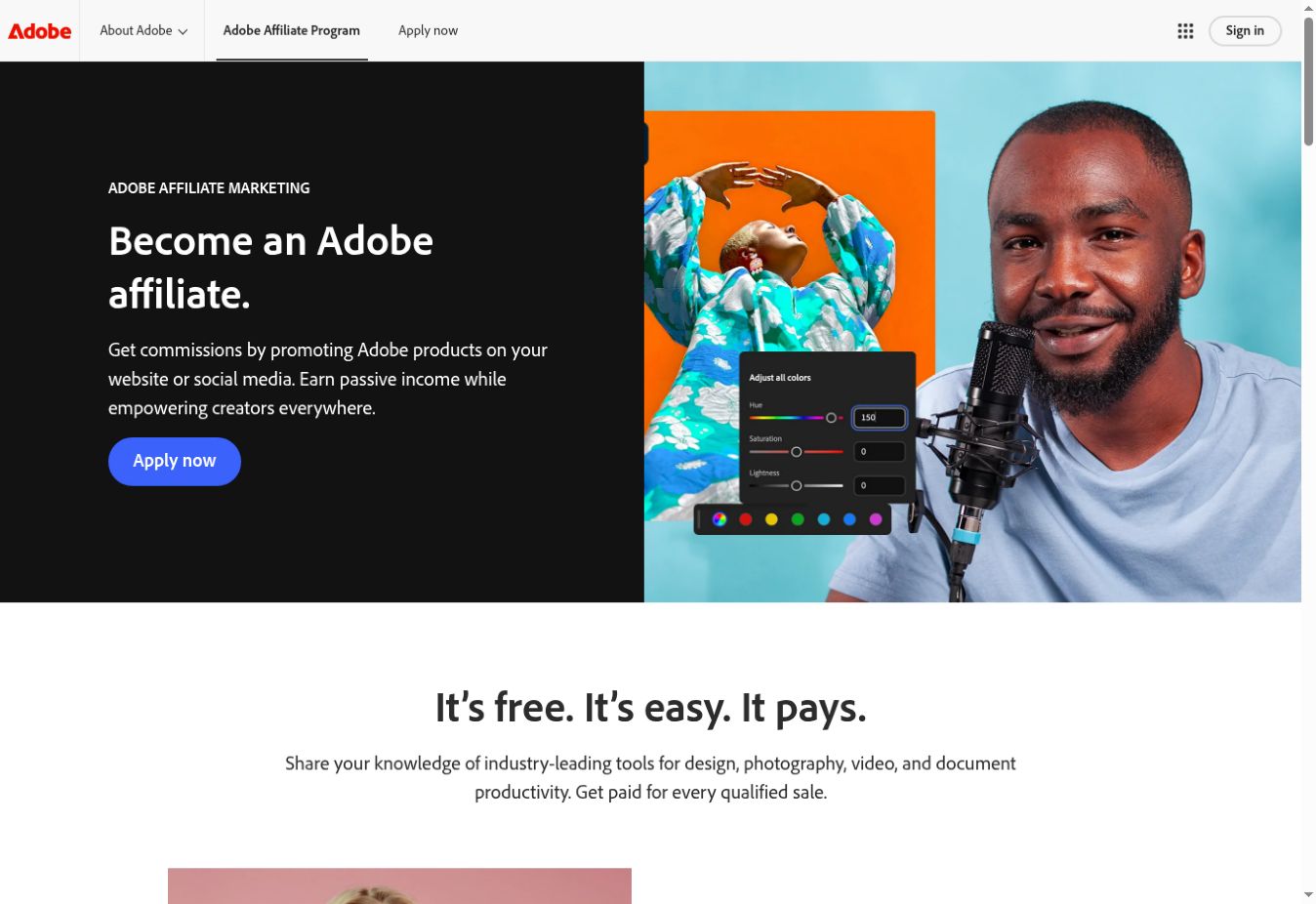
Adobe Affiliate Program official public program page, showing where to start
Official public page screenshot · select to enlarge · captured October 16, 2026

Adobe uses Partnerize. Apply for the Adobe campaign and check which products and countries your approved account can promote.

Join and generate your link

  1. Open the official Adobe Affiliate Program page and select Apply now. Complete the application through Partnerize.
  2. Follow the onboarding email, review the terms, and request activation of the Adobe campaign. Wait for approval.
  3. In your approved campaign, use the supplied text links or permitted deep-link tools to generate a tracked Adobe destination. Consult the Partnerize getting-started resources if needed.
  4. Copy your own tracked link into an AI & Software product on RevXStar. Add helpful content and an affiliate disclosure; review commissions in Partnerize.
09

EcoFlow Affiliate Program

Power solutions, solar generators & portable energy
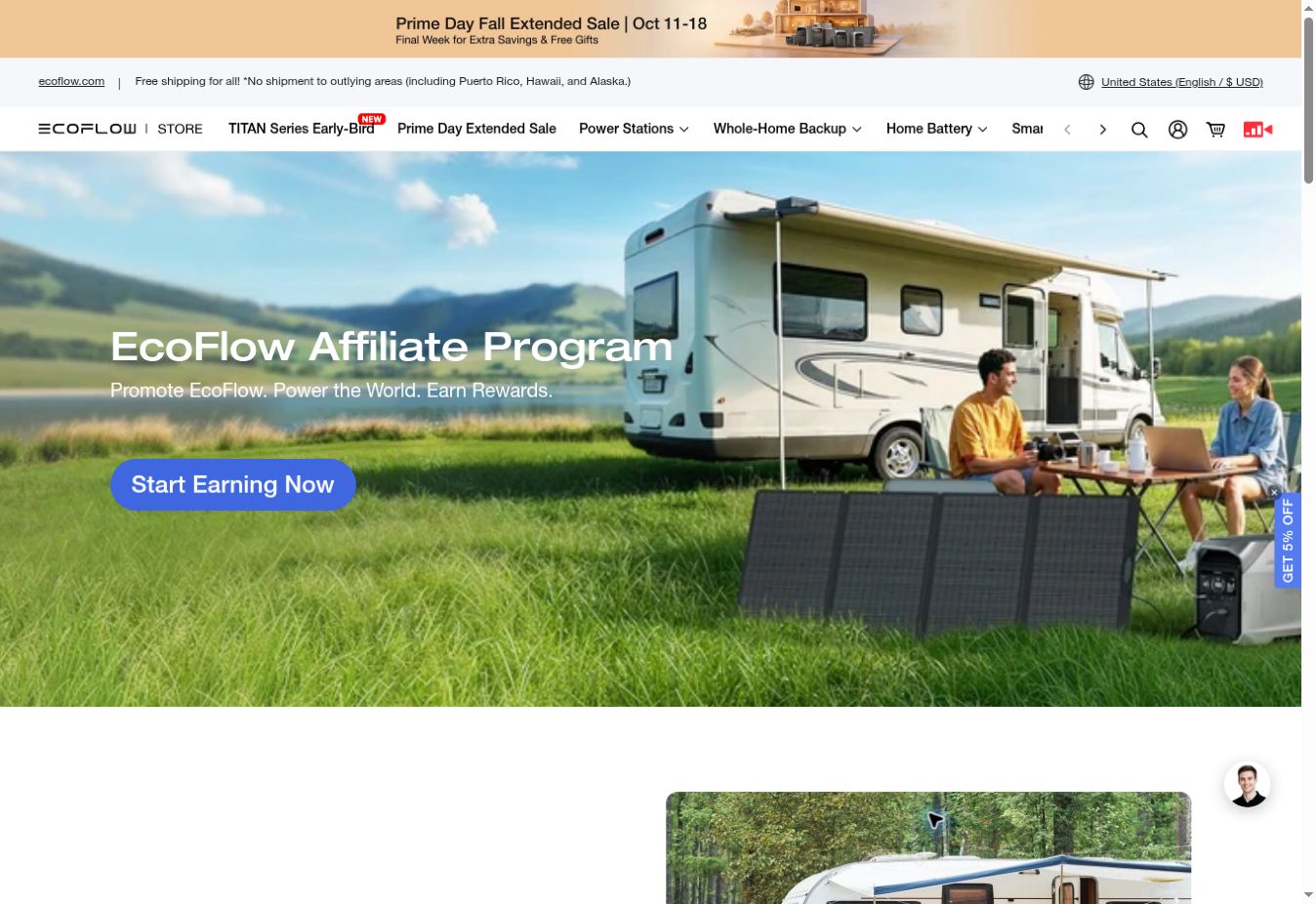
EcoFlow Affiliate Program official public program page, showing where to start
Official public page screenshot · select to enlarge · captured October 16, 2026

This guide shows EcoFlow US. Choose the program and marketplace matching your audience and review eligible products and promotion rules.

Join and generate your link

  1. Open the official EcoFlow affiliate page and select Start Earning Now to reach its signup partners.
  2. Choose one of the affiliate networks listed by EcoFlow and apply with your publishing channel details. Wait for the required program approval.
  3. After approval, use your network dashboard to create a tracked link to an eligible EcoFlow product or destination. Keep all affiliate tracking parameters.
  4. Paste the link into RevXStar, choose EcoFlow and Power Solutions, add accurate product content and an affiliate disclosure, and publish. Check conversions in your affiliate network.
10

Bookshop.org Affiliate Program

Books, reading lists & independent bookstores
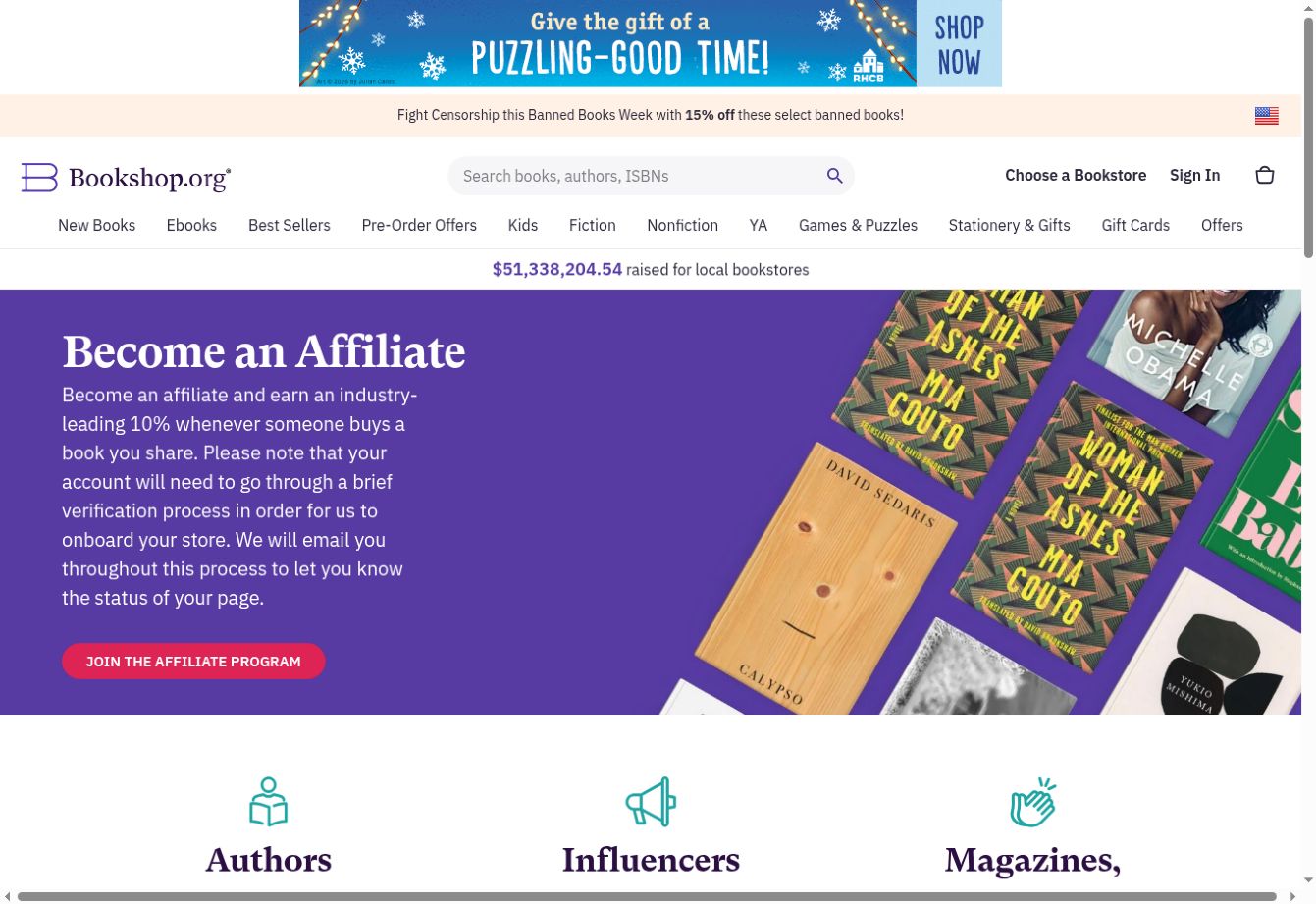
Bookshop.org Affiliate Program official public program page, showing where to start
Official public page screenshot · select to enlarge · captured October 16, 2026

The screenshot shows Bookshop.org US. Check your market, account verification, and affiliate terms before sharing book links.

Join and generate your link

  1. Open Bookshop.org’s official affiliate introduction and select Join the Affiliate Program. Create your account and complete its verification process.
  2. Set up your affiliate profile or storefront and choose the books or reading lists you want to recommend.
  3. While signed in to your affiliate account, open a book page and find Your Affiliate Link. Select COPY, or use a book-list or storefront link associated with your account.
  4. Paste your tracked link into RevXStar, select Bookshop.org and Books, add a helpful recommendation and disclosure, and monitor eligible sales in your Bookshop.org account.

Bring your link back to RevXStar

  1. Select Affiliate Creator and sign in.
  2. In Affiliate product links, choose your retailer, or Other if it is not listed.
  3. Paste the exact tracked link into Main affiliate product link. Do not remove its affiliate parameters.
  4. Add media, explain the product, include an affiliate disclosure, and publish.
  5. Check the destination with the program’s link-checking tools where available. Review conversions and payments in the affiliate program, not RevXStar visitor analytics.

Normal store URLs and links copied after a tracking redirect can lose attribution. Use the link generated by your own affiliate dashboard. Never create a link by replacing someone else’s tracking ID.

Screenshots show public information pages, not your account dashboard. Page designs, tool names, eligibility, and rates may change. Displayed third-party offers are snapshots; the official program’s current terms control. No commission or approval is guaranteed. RevXStar is not claiming a partnership with these programs.

Answers to your questions

Start here

What is RevXStar?

RevXStar helps viewers discover products through videos, photos, features, details, and reviews. Affiliate creators can publish product pages with their own affiliate links and share those pages with their audience.

Who is the website for?

The main experience is for viewers who want to explore and understand products. The Affiliate Creator button opens the submission section for people who want to publish product content.

Do I need an account to browse?

You can explore public products, creator profiles, and blogs without signing in. Sign in to bookmark products, follow creators, write reviews, or submit content.

Does RevXStar sell or ship products?

Purchases take place on the linked seller’s website. The seller handles payment, availability, delivery, returns, and refunds. Read the seller’s terms before purchasing.

Explore, bookmark & shop

How do I find products?

Use the homepage search, category filters, and brand or retailer filter. Open a product to see its video, photos, features, description, and available reviews.

How do I purchase a product?

Open the product page and select the seller or purchase link. You will leave RevXStar to complete the purchase on the seller’s website. Confirm the current price and product specifications there.

How do I save a product?

Sign in, open a product page, choose a collection, and select Save. You can also enter a new collection name and choose Create & save. Open Collections to find your saved products.

What are collections?

Collections are named groups of bookmarked products, such as Kitchen favorites or Books to read. Create one in Collections or while saving a product.

How do I follow a creator?

Open a product’s creator profile or select Follow on the product page. The Following view shows products from the creators you follow.

How do reviews work?

Sign in, open a product page, select one to five stars, write your review, and select Publish review. You can update or remove your own review. Describe your actual experience and keep reviews relevant.

How do I share or report a product?

Use Share video on a product page or the share action on its feed card. Use Report video if you see a problem and choose the appropriate reason. Reporting does not automatically remove content.

Create & publish a product

How do I become an affiliate creator here?

Select Affiliate Creator at the top right. Sign in using an available method, then add your affiliate product links, media, and product content. You need your own affiliate program membership to earn commissions through an affiliate link.

Where do I get an affiliate link?

Join the retailer’s or affiliate network’s program separately and follow its approval process. Generate your tracked product link in that program’s dashboard, then paste it into RevXStar. A normal store URL does not automatically become your affiliate link.

How do the retailer icons work?

Choose Amazon, Flipkart, eBay, AliExpress, or Other above the affiliate link field, then paste your own link. Choosing an icon selects the retailer; it does not enroll you in a program or create an affiliate account.

How do I submit my first product?

Open Affiliate Creator. Add one to seven product photos, your affiliate URL, a title, a description, and a category. Add captions and product details. Generate a slideshow or upload a finished video, review the preview, then select Publish video & product page.

Can I add more than one product link?

Yes. Add up to five affiliate product links to one story. The first link is the main product. Fill in or remove unused additional link fields before publishing.

What does Fetch details do?

It tries to import information available from the seller’s page. Some sellers block automated access or do not provide usable details. If importing fails, add your own accurate content and media.

Can I upload a finished video?

Yes. Choose an MP4 or WebM file up to 35 MB in the submission section. The file is checked when selected; an oversized or unsupported file shows a warning.

Do I need an AI API key?

You can generate the photo slideshow and write or edit content without an API key. Optional AI content and video services may require a configured connection or your own key and may have separate charges.

How do I edit a published product?

Enter through Affiliate Creator, close the submission window if you want to manage existing products, then open Dashboard and edit your product. Update the content or media and select Save changes.

Can I edit the product URL and search listing?

Yes. In the product editor, open Search engine settings. Update the SEO URL, SEO title, and SEO description. URL text becomes lowercase with hyphens and is limited to 90 characters. A URL reserved by another product cannot be used. Previous addresses redirect after a URL change.

What should I include in my product content?

Explain what the product is, its supported features, who it may suit, important limitations, and useful photo captions. Check facts against the seller’s information. Avoid invented specifications, unsupported claims, or reviews that imply experience you have not had.

How do I customize my creator profile?

Open your profile or choose Edit creator profile in Dashboard. Add a display name, bio, profile photo, banner, social links, and an available username. Save your changes before sharing your profile.

Can everyone publish a blog?

Blog publishing is available through the blog management controls to accounts with the appropriate access. A creator account alone does not grant every administration permission. Public blogs can be read and shared by viewers.

Understand affiliate earnings

How can I earn money using RevXStar?

Join an affiliate program and obtain your own tracked links. Publish helpful product content on RevXStar with those links. Share your product pages with an interested audience. If someone follows your affiliate link and makes an eligible purchase, the affiliate program may credit you according to its terms.

Does RevXStar pay me for views, likes, or followers?

RevXStar does not currently provide a payout system for views, likes, followers, or publishing. These activities can help people discover your content, but they do not guarantee commissions.

Who pays my commission?

The retailer or affiliate network pays eligible commissions through your account with that program. Check its dashboard for attributed orders, approved earnings, payment methods, thresholds, and payout dates.

How much commission will I earn?

Rates vary by program, product category, eligibility, and current terms. RevXStar does not set the commission rate or guarantee income. Confirm the applicable rate with your affiliate program.

Does a click always earn money?

No. Most product affiliate programs require an eligible purchase or another qualifying action. Attribution rules, tracking windows, returns, cancellations, and program exclusions can affect whether a commission is approved.

Where can I see sales and earnings?

Use your affiliate program’s dashboard for sales and earnings. RevXStar visitor analytics show engagement such as visits, product views, shares, and seller-link clicks; they are not confirmed orders or commission reports.

Do I need an affiliate disclosure?

Clearly tell viewers when links are affiliate links and you may earn a commission. Use wording such as: “This page contains affiliate links. I may earn a commission from qualifying purchases.” Follow your program’s required wording and the rules that apply to your content.

What is a practical way to get started?

Choose a topic you understand, publish a few useful product stories, explain features clearly, and share relevant pages with your audience. Keep links and product information accurate. Review engagement and your affiliate dashboard to understand what is working.

Uploads, sign-in & troubleshooting

Why is my video upload rejected?

Check that it is MP4 or WebM and no larger than 35 MB. A renamed file extension does not convert a video. Compress or export the video again in a supported format, then select the new file.

My generated video is larger than 35 MB. What should I do?

Download the generated video, compress it with a video editor, and upload the smaller MP4 or WebM file. Publishing is disabled while the selected generated video is above the limit.

What photo sizes are allowed?

For product creation, choose JPG, PNG, or WebP images up to 10 MB each. Start with one to seven photos. Use clear images you own or have permission to publish.

Why can’t I sign up or see my preferred sign-in option?

The main admin can enable or disable signup and sign-in methods. Only available methods are shown. If a method is unavailable, use another enabled method.

How long does my session last?

Verified ChatGPT sign-in can create a 12-hour website session. Email sign-in currently uses a seven-day website session. Signing out, clearing cookies, or an account restriction can end access earlier.

Why won’t my product edits save?

Read the error shown in the editor. Check required text, category, media, seller URL, and SEO fields. Make sure your SEO URL is not reserved by another product. Keep the page open and retry after correcting the issue.

Why can’t I save a collection?

Sign in, enter a collection name, and wait for the save to finish. To bookmark a product, select a collection or use Create & save on its detail page. A collection with the same name may be reused rather than duplicated.

Why is a video buffering or not playing?

Check your connection and try reloading the page. If you are the creator, export a web-compatible MP4 or WebM and replace the video in Dashboard. A supported file extension alone does not guarantee that every codec plays in every browser.

How do I reset an email password?

Open email sign-in and use the password recovery option. Request a new recovery email if your link has expired. After changing the password, sign in again.

How can I ask for more help?

For a product, delivery, payment, or refund question, contact the seller. For missing commission, contact your affiliate program. For RevXStar customer support, marketing or partnership enquiries, email support@revxstar.com. For website issues, include the page URL, the error message, and what you were trying to do. Never send passwords or API keys.

Contact RevXStar

For customer support, creator assistance, marketing or partnership enquiries, email support@revxstar.com. For technical issues, include the page URL and error message. Never send passwords or API keys.

Marketing & partnerships

Ready to explore?

Start with a product you are curious about, or share a helpful product story of your own.

Back to RevXStar